
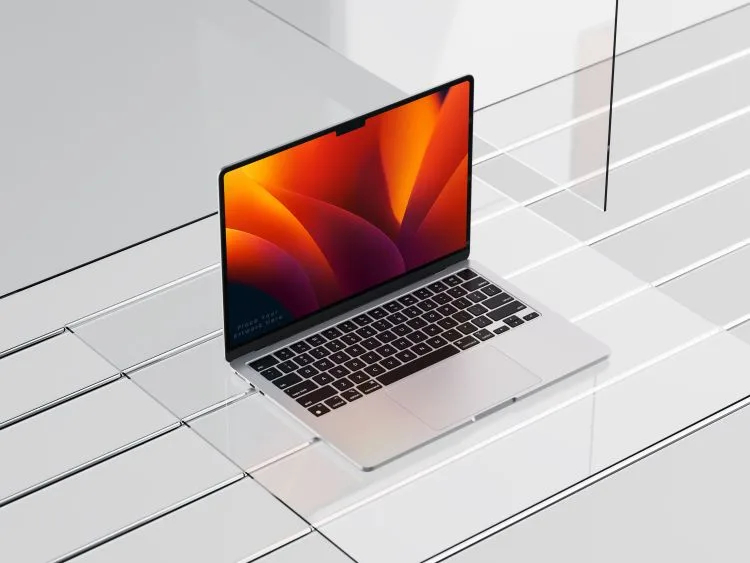
“MacBook” computers have become one of the most popular portable devices in the world. “Apple”‘s silicon (M series) chips have significantly changed the performance and battery life ratio, and the close integration with “iPhone”, “iPad”, and “Apple” services provides a clear ecosystem advantage. However, the “MacBook” is not the ideal choice for everyone — certain compromises, price, and compatibility limitations may influence the decision.
What is a MacBook and what makes it stand out?
The “MacBook” is “Apple”‘s line of laptops, which includes the lightweight “MacBook Air” and the more powerful “MacBook Pro” models. Since the beginning of the “Apple Silicon” era (M series chips), the “MacBook” has become significantly faster and more energy-efficient, while maintaining quiet operation without noticeable cooling noise. The “macOS” operating system is focused on stability, security, and efficient work within the “Apple” ecosystem — this is one of the main reasons why users choose the “MacBook”.
At the same time, a more “closed” architecture means fewer modifications, limited hardware upgrade options, and specific software alternatives. In this text, we will provide a balanced overview of the main advantages and disadvantages of the “MacBook” to help you decide whether it is the right investment for you.
What this article will cover
We will discuss the strengths of the “MacBook” (screen, battery, performance, ecosystem, security, durability), the main weaknesses (price, ports and expansion, gaming options, compatibility with specialized software, repair complexity), and provide practical recommendations based on user scenarios: studies, business, creativity (photo/video/audio), programming, travel, and gaming. At the end, you will find tips before purchasing: what RAM/SSD configuration to choose, what to pay attention to, and how to rationally assemble accessories.
Main advantages of the MacBook
Why do many choose the “Mac” platform? It is determined by technological synergy and engineering solutions.
1. Portability, autonomy, and silence
M series chips stand out for their energy efficiency. Even the lightest “Air” models boast impressive battery endurance and often operate completely silently.
- Long battery life for everyday tasks, browsing, documents, and even light editing.
- Quiet working environment: most tasks are performed without audible fan noise.
- Quick wake-up and reliable sleep mode — convenient for constant movement.
2. Screen quality and calibration
“Retina” and higher-end “Liquid Retina XDR” displays ensure high brightness, contrast, and accurate color representation.
- Excellent text sharpness and color accuracy right out of the box.
- High brightness and wide color range for creative work (photo/video, design).
- Pro models — smooth high refresh rate and better HDR experience.
3. Ecosystem and Continuity magic
Interaction between “Mac”, “iPhone”, “iPad”, “Apple Watch”, and “iCloud” is exceptionally smooth.
- “AirDrop”, “Handoff”, “Universal Clipboard”, “Continuity Camera” — faster workflow between devices.
- Web passwords, keys, and file synchronization via “iCloud”.
- System apps (iMessage, Notes) work seamlessly across all devices.
4. Performance, security, and durability
- M series power: Optimized video codecs (ProRes) and stable operation with professional applications.
- Security: “Secure Enclave”, “Gatekeeper”, and strong privacy settings protect data.
- Value: Sturdy chassis and long-term support ensure high resale value.
- User interface: “Magic Keyboard” and “Force Touch trackpad” are considered industry standards.
Main disadvantages of the MacBook
Where might compromises be needed when choosing an “Apple” laptop?
Technical limitations
- Expansion: RAM and SSD are integrated, so they cannot be upgraded after purchase.
- Ports: Often lack standard connections (USB-A, HDMI), making adapters necessary.
- Repair: Complicated and expensive to repair after the warranty period.
Software and price
- Gaming: The AAA game catalog is significantly poorer than on “Windows”.
- Price: High initial price and significant premiums for additional memory.
- Compatibility: Some engineering or accounting software only works on “Windows”.
MacBook model directions
| Model | Target group | Main feature |
|---|---|---|
| MacBook Air | Students, travelers, office workers. | Lightweight, silent (fanless), and maximum autonomy. |
| MacBook Pro 14″/16″ | Video editors, programmers, 3D creators. | Maximum performance, XDR display, and more ports (HDMI, SD). |
Mac vs. Windows: What to consider?
Choose Mac if: battery life, screen quality, and you already use an “iPhone” are priorities. It is a tool for those seeking a seamless experience.
Choose Windows if: you need specific tools, play AAA games, or want to change RAM/SSD components yourself.
Practical tips before buying
“Investing in RAM at the time of purchase is more important than in SSD, as you can expand the disk with external storage, but not the memory.”
– Expert recommendation
- RAM: The base configuration is sufficient for basic tasks, but for creativity or programming, it is recommended to choose more to avoid system slowdowns.
- SSD: If you work with video, choose a larger capacity or plan to purchase a fast external NVMe drive via “Thunderbolt”.
- Screen: For mobility, choose 13-14″ models, and for stationary work without an external monitor — the 16″ version.
- Accessories: Budget for a USB-C hub and a quality protective case.
Recommendations based on user needs
A quick guide to choosing the right “workhorse”:
- For students: “MacBook Air” — lightweight, reliable, ideal for lectures and writing assignments.
- For photographers: “MacBook Pro” for color accuracy and SD card reader (in 14/16″ models).
- For programmers: “MacBook Pro” with more RAM for working with containers and virtual machines.
- For travelers: “MacBook Air” with a universal USB-C charger — the easiest solution on the go.
- For gamers: Consider “Windows” alternatives with dedicated graphics cards.
Conclusion
The “MacBook” is a premium class laptop, distinguished by its long battery life, excellent displays, quiet and stable operation, and seamless ecosystem integration. They are particularly suitable for creators, students, businesses, and travelers who value a combination of mobility, quality, and reliability. However, it is essential to consider the price, limited hardware upgrade options, port requirements, and the lack of AAA games.
By properly assessing RAM/SSD needs at the time of purchase, the “MacBook” will become a reliable tool for many years. If you value a calm and cohesive work experience — it is one of the best choices on the market.
Read also: Benefits and Major Advantages of Apple MacBook Computer Buyback in 2026